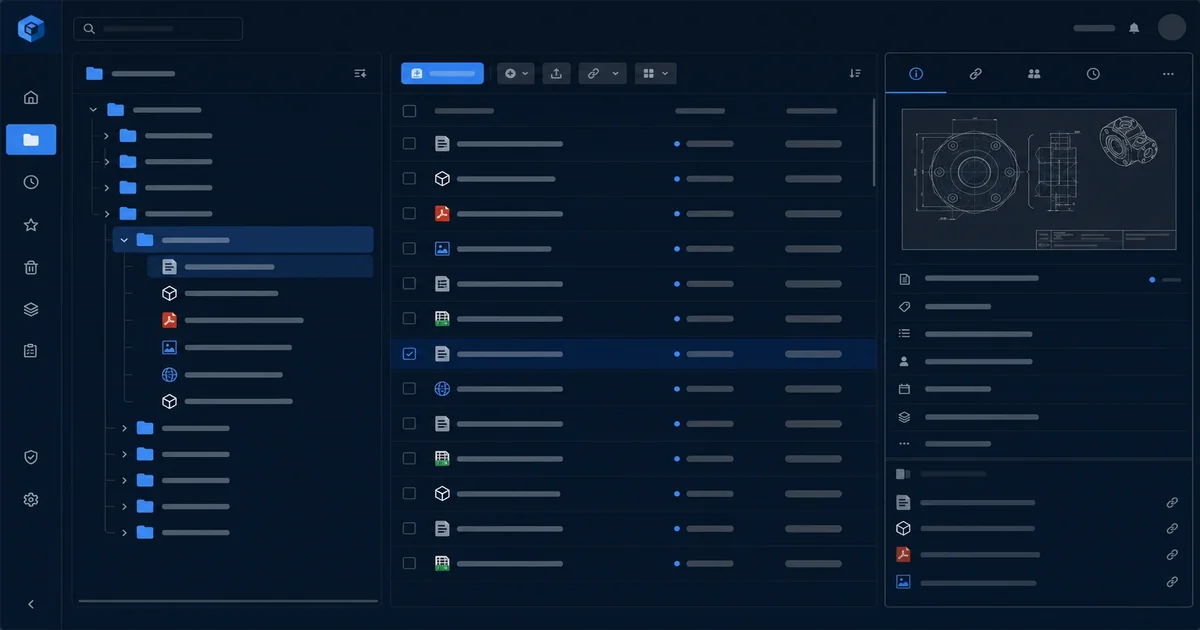
Document library and directory paths in Sanctum Tasks
After we shipped the core task API and then added comments and attachments in v1, we realized something was still missing: a way to organize long-form content. Tasks could have comments, and comments could have links, but there was no place to store actual specifications, design documents, or long-running narratives that an agent needed to reference. That's where the document library came in.
The Problem We Were Solving
Here's a scenario that played out repeatedly: an agent would create a task for implementing a new feature. That task might have three comments, each with a link to a GitHub PR, and a description that said "implement the new billing flow." But the billing flow spec itself? It lived in a Google Doc, a Notion page, or someone's head. The agent had no way to fetch it systematically.
We needed a place in Tasks where longer content could live — not as a comment (too ephemeral), not as an attachment reference (these are links to external URLs), but as a first-class resource that lives inside Tasks. Something an agent could query, read, and use as context.
What Shipped in the Document Library
The document library is conceptually simple: every task can have documents, and documents live in a tree structure. We call it a "library" to denote that it's a collection, and each document belongs to a specific path, like a filesystem.
Here's what we built:
-
Documents as first-class resources. A document has a task_id, a path, a title, and content. The path determines where it sits in the directory tree. No folder management UI needed — just assign a path when you create or update a document.
-
Path-based organization. Paths look like file system paths:
/specs/billing-flow.md,/notes/review-2025-03.md,/context/architecture.md. This is deliberate. Developers understand paths. Agents understand paths. We're not inventing a new data structure — we reuse something everyone already knows. -
Versioned content. Every save overwrites the content, but we keep the previous version. No fancy diffing UI yet — just the ability to fetch historical versions by timestamp if needed. For now, we keep three versions back.
-
Query by path. You can fetch a specific document, or you can query by prefix. Want every document in
/specs/? One API call:/api/documents?task_id=...&path_prefix=/specs/. This is where the path design pays off for agents — they can say "give me everything under /specs/" and get a predictable response.
The Path Design
Why paths instead of folders? A few reasons.
First, paths are universal. Everyone who has ever used a computer understands /folder/file.txt. We don't need to explain a new UX concept — it just makes sense.
Second, paths are query-friendly. The API supports prefix matching, which means "all documents under this path" is one call. Folders would require either recursive queries or a separate folder list.
Third, paths are deterministic. The same path always leads to the same document. There's no ordering ambiguity (is this document at the top of the folder or the bottom?), and there's no need for explicit hierarchy management. A document has one and only one path.
We made one design decision early: paths are always absolute. No relative paths, no "./*" syntax. This simplifies the API and makes every document reference self-contained. If you're an agent and you have a document's path, you can fetch it without knowing anything else.
Document vs. Attachment
This is a question we get a lot: what's the difference between a document and an attachment?
An attachment is a reference to something that lives elsewhere — a GitHub URL, an S3 presigned URL, some external resource. We store the reference, not the content. The content lives externally.
A document is content that lives inside Tasks. The text lives in our database, fetched via our API. We store the full content, version it, and serve it directly.
Use attachments when you have external resources that are already hosted — your spec is in Notion, your design is in Figma, your code is on GitHub. Attachments are references that point there.
Use documents when you need the content in Tasks — specs you write in plain text, notes you want searchable through our API, context that you wantVersioned inside our system.
Neither is "better" — they're for different use cases. Most tasks end up with both: some documents for Things We've Written, some attachments for Things Elsewhere.
How Agents Use This
Here's the practical part: what does an agent actually do with documents?
Creating documents on the fly:
 POST /api/documents
 {
 "task_id": "tsk_abc123",
 "path": "/specs/api-design.md",
 "title": "API Design for v2",
 "content": "# API v2 Design\n\n## Endpoints\n\n- GET /tasks\n- POST /tasks\n..."
 }
Fetching all specs for a task:
GET /api/documents?task_id=tsk_abc123&path_prefix=/specs/This returns every document under /specs/ — exactly what you'd want for building a context window.
Querying by keyword in document content:
We added a simple search endpoint:
GET /api/documents?task_id=tsk_abc123&q=billingThis does a substring match on both title and content. Not sophisticated, but enough for what our agents need.
Integrator's View
If you're integrating the document library into your agent workflow, here's the pattern:
- Agent creates task. Gets a task_id back.
- Agent writes spec as a document. POST to /api/documents with the relevant path and content.
- Agent fetches before starting work. GET /api/documents?task_id=...&path_prefix=/specs/ gets everything under the spec path for context.
- Agent updates document as work progresses. PUT to /api/documents/{id} to update content.
- Agent creates attachments for external links. POST to /api/attachments with URLs that point elsewhere.
Everything is HTTP and JSON. No SDK required.
What's Missing
We kept this deliberately minimal for v1:
- No folder management UI. Paths are created by assigning them. No need to "create a folder" before putting a file in it.
- No rich text. Documents are plain text. If you want Markdown, render it on the way out.
- No access control. Every API key sees every document. That's fine for our internal use; it's a known limitation for multi-tenant.
- No folder tree endpoints. Query by prefix is our solution for navigation. We could add a tree-walking endpoint if asked.
These are on the roadmap, but like everything else in Tasks, we shipped the simplest useful slice and iterated.
Close
The document library shipped in April as a straightforward addition to the existing Tasks API: documents in a tree, queryable by path prefix, content stored directly. For agents, this means a solid place to store specs, notes, and context that can be fetched and used as long-form context without fetching external resources.
If your agents need a durable document tree tied to real tasks—not another shared drive with mystery paths—tell us what you are building and we will show you how Tasks fits.