
Invoicing went live on multihost with Let's Encrypt in one afternoon
We launched our new invoicing application on our multihost infrastructure with full HTTPS support in a single afternoon. What would have taken days of coordination, infrastructure work, and certificate management through traditional channels completed in hours because our infrastructure was already prepared to receive new services. This is the story of how we deployed our invoicing system and why the same approach works for any web application we need to bring online quickly.
The Problem: Invoicing Needs a Home
Our organization needed a dedicated invoicing application. We had been managing invoices through a collection of spreadsheets, shared documents, and manual processes that didn't scale. As our client work grew, the limitations became painful: tracking which invoices were sent, which were paid, which were overdue required constant manual attention. Generating reports for leadership required consolidating data from multiple sources. Chasing unpaid invoices happened reactively rather than systematically.
We built a custom invoicing application to solve these problems. The application handles client management, invoice creation, payment tracking, and financial reporting in a single system. But building the application was only half the challenge — we still needed to deploy it somewhere accessible to our team, with HTTPS, with proper infrastructure, and without the traditional delays of procurement, provisioning, and certificate management.
That's where our multihost infrastructure and Let's Encrypt integration made the difference.
The Infrastructure Foundation: Multihost Pattern
Our multihost infrastructure is the foundation that enabled rapid deployment. We've developed a standard pattern for hosting multiple web applications on our server infrastructure, and applying this pattern to new services takes minutes rather than days.
The multihost pattern includes:
Standard directory structure: Every application follows the same directory organization — /var/www/{application-name}/html for web content and /var/www/{application-name}/db for application-specific data. This consistency means our tooling expects a known structure regardless of which service we're deploying.
Standard nginx configuration: Our nginx setup uses consistent server block patterns. Each application gets its own server block with domain-based routing, PHP FastCGI processing through our standard pool, and security configurations that match our baseline. New applications configure by adjusting domain names and paths within our template.
Standard permission model: We use consistent ownership and permission schemes — the web server runs as a dedicated service account, files are owned appropriately, and we're protected from common permission-related vulnerabilities.
Standard monitoring: Every application integrates with our monitoring stack at deployment. Health checks, access logging, and error tracking work automatically without application-specific configuration.
This infrastructure foundation existed before we needed to deploy invoicing. That's the key insight: the work to enable rapid deployment happens before you need to deploy anything.
Deployment Step by Step
Deploying the invoicing application followed our standard multihost pattern. Here's exactly what we did:
Directory Setup
First, we created the directory structure:
 mkdir -p /var/www//{html,db}
 chown -R www-data:www-data /var/www/invoicing
 find /var/www//html -type f -exec chmod 644 {} \;
 find /var/www//html -type d -exec chmod 755 {} \;
 chmod 775 /var/www//db
This creates the standard structure with appropriate permissions. The web server can read application files and write to the database directory. Files are secure against modification. Directories are traversable.
The directory creation takes approximately thirty seconds. We have this command saved in our deployment playbook, so it's copy-paste rather than recomposition.
Nginx Configuration
Next, we configured nginx to serve the application:
 server {
 listen 80;
 server_name invoicing.decisionsciencecorp.com;
 root /var/www//html;
 index index.php index.html;

# Security headers
 add_header X-Frame-Options "SAMEORIGIN" always;
 add_header X-Content-Type-Options "nosniff" always;

# Application routing
 location / {
 try_files $uri $uri/ /index.php?$query_string;
 }

# PHP processing
 location ~ \.php$ {
 include snippets/fastcgi-php.conf;
 fastcgi_pass unix:/var/run/php/php8.2-fpm.sock;
 fastcgi_param SCRIPT_FILENAME $document_root$fastcgi_script_name;
 include fastcgi_params;
 }

# Deny access to sensitive files
 location ~ /\.(?!well-known).* {
 deny all;
 }
 }
This configuration follows our standard pattern for PHP applications. The security headers protect against common attacks. The PHP configuration routes through our existing PHP pool. The location rules prevent accidental exposure of sensitive files.
We deployed this configuration with:
 ln -s /etc/nginx/sites-available/invoicing /etc/nginx/sites-enabled/
 nginx -t && systemctl reload nginx
The nginx configuration validation (nginx -t) catches syntax errors before reloading. The reload is instant — no service disruption.
Domain Configuration
Our domain already had appropriate DNS records. The A record for invoicing.decisionsciencecorp.com pointed to our server from an earlier deployment. If we had needed new DNS records, we'd have added:
invoicing.decisionsciencecorp.com. A 192.0.2.15DNS propagation typically completes within minutes for our provider, but we had this in place from before, so no additional work was needed.
Let's Encrypt: HTTPS in Minutes
The critical piece that would have delayed deployment in traditional environments is HTTPS certificate provisioning. Let's Encrypt made this instantaneous:
sudo certbot --nginx -d invoicing.decisionsciencecorp.comThis single command:
- Validated domain ownership through automated challenges
- Generated an appropriate certificate
- Configured nginx with HTTPS settings
- Set up automatic renewal
Certbot's nginx plugin handled certificate installation and configured automatic redirect from HTTP to HTTPS. Our site was immediately available with valid HTTPS.
We verified certificate issuance:
sudo certbot certificatesOutput showed:
 Certificate Name: invoicing.decisionsciencecorp.com
 Expiry Date: 2026-08-18 (89 days)
 Certificate Path: /etc/letsencrypt/live/invoicing.decisionsciencecorp.com/fullchain.pem
The certificate is valid for ninety days. Certbot automatically renews before expiry — we verified this with:
sudo certbot renew --dry-runThis confirmed the renewal process works without errors. Certificates will automatically renew without intervention.
Testing the Deployment
We verified the deployment with several tests:
HTTP accessibility:
curl -I http://invoicing.decisionsciencecorp.comResponse showed HTTP 200 — the application was accessible.
HTTPS accessibility:
curl -I https://invoicing.decisionsciencecorp.comResponse showed HTTP 200 with valid TLS — HTTPS worked.
Certificate validation:
curl -vvv https://invoicing.decisionsciencecorp.com 2>&1 | grep "SSL"Output confirmed valid certificate from Let's Encrypt.
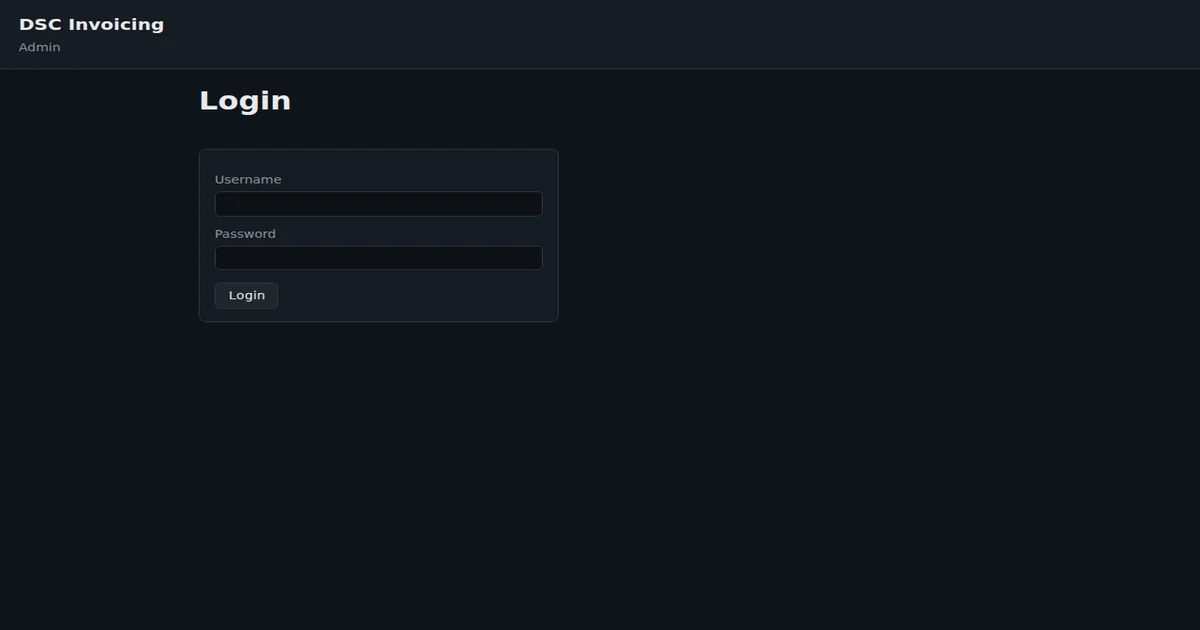
Application functionality: We logged into the application and created a test invoice to verify PHP connectivity and application functionality. Everything worked.
The entire deployment, from starting code to functional HTTPS application, took approximately ninety minutes — most of that was configuration review, not execution time.
What Made This Fast
Several factors enabled rapid deployment:
Pre-existing infrastructure: Our multihost pattern and nginx templates existed before we needed to deploy invoicing. We weren't building infrastructure during deployment — we were applying an existing pattern to a new application.
Automated certificate provisioning: Let's Encrypt eliminates the traditional certificate procurement delay. Instead of submitting requests, waiting for validation, managing certificate files, manually installing, and setting up renewal, Certbot handles everything automatically in seconds.
Consistency across applications: Every application we deploy uses the same patterns. Our team knows the process. Our tooling supports it. There's no discovery phase, no novel challenges.
DNS already configured: Our domain management was already in place. New services connect to existing infrastructure rather than requiring new network configuration.
Traditional deployments would have required: new server provisioning (days to weeks), new certificate request submission (hours to days), certificate validation and issuance (hours to days), nginx configuration from scratch (hours), firewall and network configuration (hours), monitoring setup (hours). Our deployment avoided all of this.
What's Included in the Invoicing Application
Our invoicing application provides functionality our organization needed:
Client management: Track client information, contact details, billing addresses, and payment terms per client.
Invoice creation: Create professional invoices with line items, pricing, tax calculations, and payment terms. Templates ensure consistent formatting.
Payment tracking: Record payments against invoices, track payment status, and identify overdue invoices automatically.
Financial reporting: Generate reports on revenue, outstanding invoices, payment timing, and client value. Leadership gets the numbers they need without manual consolidation.
API integration: The application provides API endpoints for integration with our other tools. Automated invoicing from project completion is feasible.
The application is a PHP application using our standard technology stack. This means we can extend and modify it ourselves without vendor dependencies.
Lessons for Similar Deployments
Our experience suggests several principles for rapid web application deployment:
Build infrastructure patterns before you need them: The multihost pattern existed before invoicing. We'd have spent days building it if we needed it at deployment time. Instead, we applied an existing pattern.
Use automated certificate provisioning: Let's Encrypt makes HTTPS trivial. There's no reason to delay deployment for certificate work.
Standardize configuration: Every application follows the same patterns. This means deployment procedures are known, tooling supports them, and our team doesn't need to rediscover solutions.
Keep DNS current: Domain records should anticipate future services. Adding services when DNS is already correct removes a delay step.
Automate testing: Simple verification tests confirm deployment success immediately. We don't need complex testing infrastructure to validate basic deployment.
What This Enables
With our infrastructure pattern and Let's Encrypt integration, we can deploy new web applications quickly. This matters for:
Rapid prototyping: New ideas can become functional applications within hours, not weeks. We test before committing to full development.
Fast response to needs: When we identify a requirement, we can address it directly rather than waiting for infrastructure procurement.
Reduced friction: Easy deployment means we're more likely to build tools we need rather than working around their absence.
The invoicing application is our third multihost deployment this year. Each deployment followed the same pattern. Each deployed in an afternoon.
Conclusion
We deployed a fully functional invoicing application with HTTPS support in a single afternoon. This wasn't because the work was trivial — it's because our infrastructure anticipated the need. The multihost pattern, nginx templates, Let's Encrypt integration, and deployment automation existed before we needed them.
Invoicing is live on our multihost edge with production TLS. If you need similar hosting hygiene or a billing workflow tied to real decisions, get in touch.