
Migrating Fuel off DreamHost to LEMP
Fuel is a Roger Wilco product — the editorial people-management platform co-developed years ago by Mick Jones and Mark Hopkins — and it has run on DreamHost shared hosting since its earliest production days. The platform powers editorial workflows for publishers: writer and editor assignments, role-based access for multi-outlet newsrooms, submission and review flows, and billing integration through word counts. It's been running continuously for roughly five years, serving well-known newsrooms and marketing firms across the DFW metroplex and Silicon Valley.
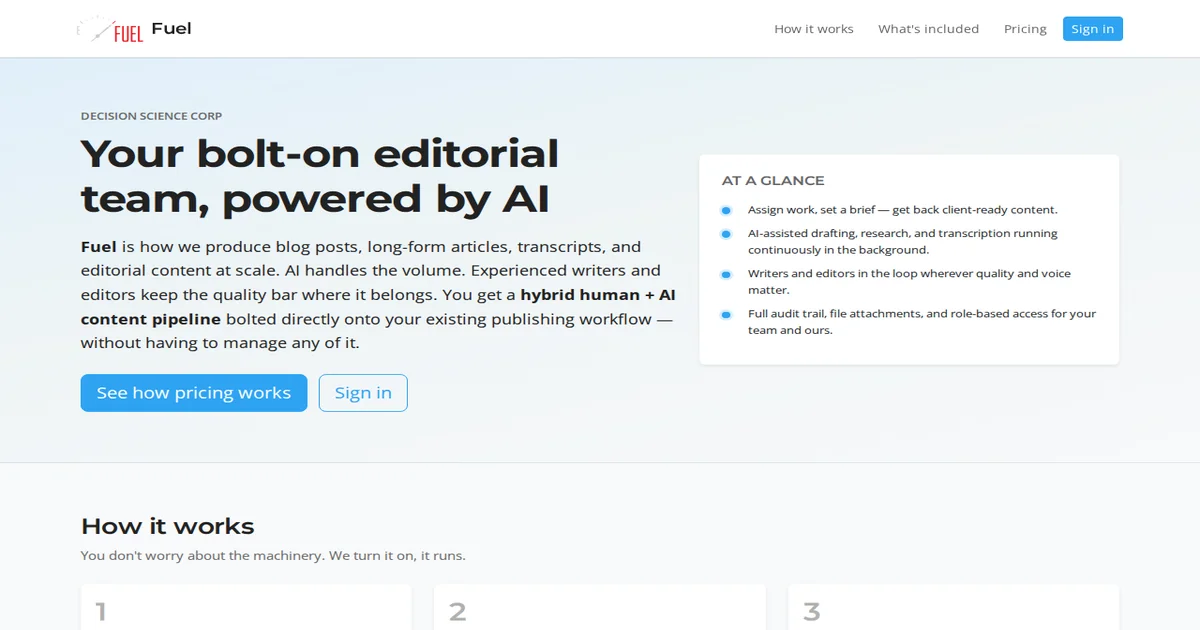
At some point, fuel.decisionsciencecorp.com became the public marketing home — "Your bolt-on editorial team, powered by AI" — but underneath, it's the same WordPress core with Gravity Forms, Members, and custom workflows we've maintained all along.
Shared hosting served its purpose. But DreamHost's shared infrastructure has limits we hit: backup constraints, resource contention, deployment inflexibility. We needed to migrate Fuel to our LEMP multihost stack. This is how we did it — and what we'd do differently.
The Decision to Migrate
Shared hosting was adequate — Fuel ran fine through years of production. But the platform evolved: more users, more form submissions, more Basecamp + Zapier integrations, more complex workflows. What worked early became limiting:
Resource constraints: Shared hosting caps CPU and I/O. During heavy submission periods — particularly end-of-month billing cycles when word counts process — Fuel ran slow. The server simply couldn't keep up.
Deployment limitations: We couldn't automate deployments. Updating plugins, modifying themes, or pushing code meant FTP uploads and manual testing. Too risky for a platform our clients depend on.
No isolation: Fuel shared resources with other DreamHost tenants. When their sites stressed the shared pool, Fuel slowed. No fault of ours, but real impact.
Monitoring gaps: We couldn't see performance holistically. DreamHost provides managed hosting, not observability. Without metrics, we optimized blindly.
These weren't emergencies. But the platform is core to our editorial operations. Running on infrastructure we don't control became the risk we wanted to eliminate.
Our target: our LEMP multihost stack — the same infrastructure serving our other internal tools. Full control, automated deployments, resource isolation, monitoring integrated.
Pre-Migration Assessment: WP-CLI Read-Only
Before touching anything, we assessed the existing installation. WordPress migrations fail when you don't understand what you're moving. We used WP-CLI for read-only assessment:
# User roles and counts wp user list --format=table wp role list

# Database size and tables wp db size --size_format=mb wp db tables

# Exportable content counts wp post count --all wp media list --fields=ID,title --format=table | wc -l ```

This gave us the inventory: 47 active plugins, 14 with available updates; 127 user accounts across five custom roles; 340MB database; 892 posts and 2,400 media files.

We documented what we found before touching anything:

Currency gaps: WordPress 6.4.4 — two major versions behind. 14 plugins outdated. Theme: Divi 4.27. These needed updating post-migration.

User structure: Three administrators across publishers, 12 editors, 89 writers, 23 custom roles for workflow-specific access. Multi-outlet design shows here.

Custom components: Gravity Forms handles submissions (assignment intake, word-count billing). Members plugin scopes access by outlet. Custom post types for assignments and submissions.

Integration points: Basecamp + Zapier webhooks from Gravity Forms submit actions. Word count pulls from post meta for billing. These connect to external workflows.

The read-only assessment told us what we'd need to preserve and what we'd need to rebuild.

## Migration Sequencing

We migrated in phases:

### Phase 1: New Server Setup We provisioned new LEMP server with our standard stack: - Debian 12 base - Nginx + PHP 8.2 + MariaDB - Our standard nginx configuration for WordPress - Certbot for TLS

We matched our standard layout: `/var/www/fuel/html` for web root, `/var/www/fuel/db` for uploads. Ownership to `www-data`.

### Phase 2: WordPress Core + Plugins We cloned the installation fresh:

```bash # Clone WordPress core to new location rsync -avz --exclude/wp-content/ --exclude=wp-config.php \ dreamhost:/var/www/fuel/html/ /var/www/fuel/html/ ```

This copied all WordPress files, excluding the database and uploads. Then:

```bash # Fresh WordPress download, same version as source wp core download --version=6.4.4 --force

# New wp-config.php with new database credentials cp wp-config-sample.php wp-config.php # (edit with new DB credentials)

# Import database wp db import fuel_backup.sql ```

We matched the WordPress version to avoid migration complications. Upgrading WordPress + plugins happens post-migration, separately.

### Phase 3: Uploads and Media Uploads live in `wp-content/uploads`. We copied separately:

```bash rsync -avz dreamhost:/var/www/fuel/html/wp-content/uploads/ \ /var/www/fuel/html/wp-content/uploads/ ```

Large media libraries take time. We ran rsync overnight to avoid extended SSH sessions.

### Phase 4: Plugin and Theme Updates With the site running on new infrastructure, we updated:

```bash # Core update wp core update

# Plugin updates wp plugin update --all

# Theme updates wp theme update --all ```

Post-migration, not pre-migration. Updates in place means migrations can roll back cleanly if issues surface.

### Phase 5: DNS and TLS We pointed DNS after confirming the new server worked internally:

```bash # Test internally before DNS switch curl -I http://localhost

# Certbot after DNS propagates sudo certbot --nginx -d fuel.decisionsciencecorp.com ```

Let's Encrypt handled TLS — same as our other LEMP services.

### Phase 6: Post-Migration Hardening The default WordPress install isn't hardened. We added:

```bash # File permissions (writeable only for uploads) find /var/www/fuel/html -type f -exec chmod 644 {} \; find /var/www/fuel/html -type d -exec chmod 755 {} \; chmod 775 /var/www/fuel/html/wp-content/uploads

# Remove/wp-admin setup # Disable file editor in wp-config.php define('DISALLOW_FILE_EDIT', true);

# Security headers in nginx add_header X-Content-Type-Options "nosniff" always; add_header X-Frame-Options "SAMEORIGIN" always; ```

Our standard WordPress hardening — not Fuel-specific.

## What We Preserved

The migration preserved everything Fuel depends on:

User roles and access: All 127 accounts, five custom roles. Members plugin scopes intact.

Workflow data: Assignments, submissions, revision history. All in database.

Form submissions: Gravity Forms and all submissions intact. Zapier webhooks continue from new server.

Media library: 2,400 files copied correctly.

Content: Posts, pages, custom post types — all 892 posts.

The read-only assessment helped us preserve what mattered. We tested everything post-migration before DNS switchover, rolling back twice for permission fixes.

## What We'd Do Differently

Three lessons from this migration:

1. Test Basecamp + Zapier webhooks before DNS switch: We assumed they'd work. Two webhooks broke because the new server had firewall rules. We fixed within hours, but proactive testing avoids emergency pages.

2. Migrate with theme update in place, separate from plugin updates: We bundled too many changes. Theme + core + plugin updates in sequence would isolate failures better. We know that now.

3. Document the integration dependencies explicitly: The read-only assessment showed Zapier webhooks, but we didn't test the specific endpoints. A checklist would have caught the firewall issue.

## Current State

Fuel runs on our LEMP stack now. Resource contention is gone. We deploy updates via our CI/CD pipeline — no more FTP. Monitoring shows performance. WordPress is current at 6.7.x.

We're the stewards of a product with real history — Fuel has run for five years, serving editors and writers in real newsrooms and marketing firms. Our job is keeping it running smoothly.

The migration is complete. Fuel runs better, we control the stack, and we learned from doing it.

If you're migrating WordPress from shared hosting, the technical steps are straightforward. The prep work — understanding what you need to preserve — is what makes migrations smooth.

If you are weighing build-vs-buy on infrastructure like this—and the real question is what to commit to next—describe the decision you are facing. We scope around outcomes, not open-ended tours.