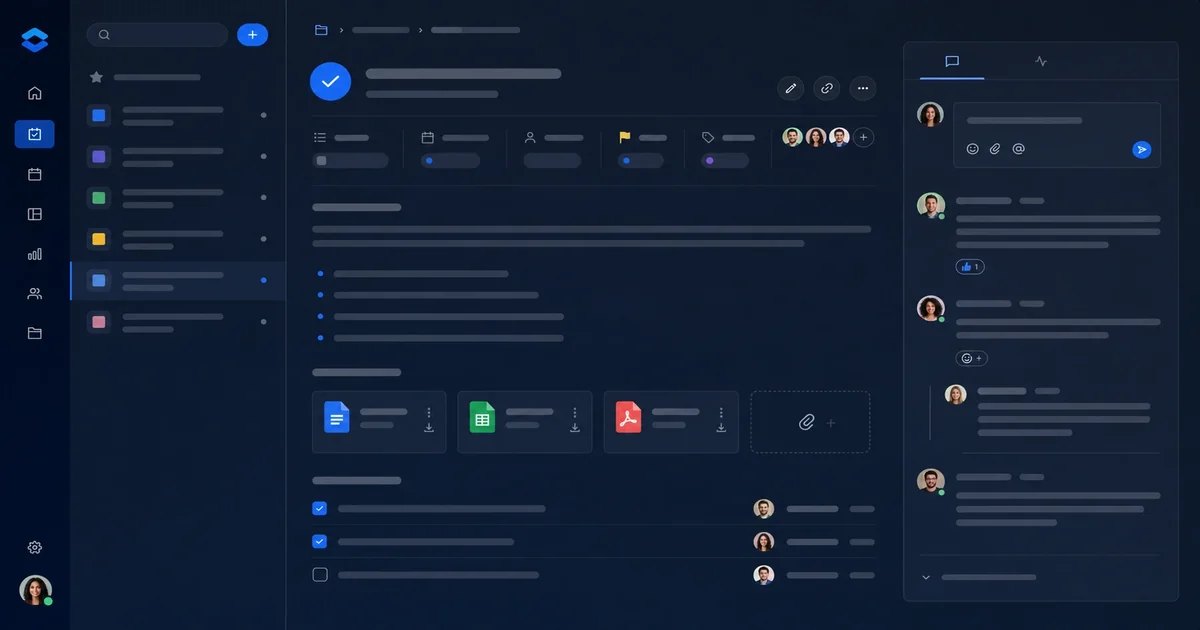
Sanctum Tasks v1: tasks, comments, and attachments
Six days after we shipped the bare task API, we pushed v1 of Sanctum Tasks with the features that made it actually useful for real workflows: comments and attachments. This post is a development retrospective on what shipped, why we chose those patterns, and how integrators can use them.
What Shipped in v1
The first release was intentionally minimal — create, read, update, delete, and basic filtering. But within a week, we knew it wasn't enough. Our own agents were creating tasks, but they needed to leave notes for each other, and they needed to attach context that didn't fit in the task description field. That's where v1 came in.
Here's what made it into the March 18 release:
-
Comments on tasks. Every task can now have multiple comments. A comment is a simple text body with a timestamp and author. No rich text, no markdown parsing, just raw text that the caller can format however they want. This was intentional — we didn't want to force a specific formatting convention on integrating agents.
-
Attachment references. We added an attachment model that links to external URLs. The attachment stores a title, a URL, and a MIME type guess. We didn't build a file upload system — that would have complicated the API significantly. Instead, we built a reference system: give us a URL, we'll store the title and content type, and we'll let you fetch it later.
-
Task metadata. Created_at, updated_at timestamps on every resource. This matters for agent workflows because an agent can filter by recency — "give me all tasks created in the last hour" becomes a simple query parameter.
-
Better filtering. We added filtering by created_after and updated_after, plus the ability to filter by multiple statuses at once. The original API only let you filter by one status; that was a mistake we corrected in v1.
The Comment Design
Comments seem simple, but we spent longer on the design than expected. The core question was: should comments be flat or threaded?
Threaded comments — like replies in a Slack thread — would have allowed for better conversations. But they're also harder to display in a simple API response, and they introduce complexity around moderation. What happens when someone deletes a parent comment? Do the replies vanish?
We went flat. Every task has a list of comments, each with a simple body and timestamp. No threading, no replies to replies. If you need structure, we figured, build it in your agent — store the parent comment ID in the body if you need hierarchy. This keeps the API simple and predictable.
Here's what a comment looks like in the API:
 {
 "id": "cmt_abc123",
 "task_id": "tsk_xyz789",
 "body": "Deploying to production at 2pm",
 "created_at": "2025-03-15T14:22:00Z"
 }
That's it. No author field in the response — the API key authenticates the caller, so we assume whoever made the request is the author. This keeps the payload small and the authentication model simple.
We made this choice because every agent calling the API has an API key. Adding an author field would have meant the caller passing the same value twice (once in the key, once in the body), which is redundant and error-prone. The assumption is: you are who your key says you are, and that's good enough for a comment.
The Attachment Design
Attachments were simpler. We didn't want to build file storage — that would have meant dealing with uploads, virus scanning, storage costs, and all the complexity that comes with binary files. Instead, we built a reference system.
You give us a URL, a title, and optional MIME type. We store that reference. The caller is responsible for the actual file existing somewhere — a GitHub raw URL, an S3 presigned URL, another server somewhere. Our job is to store the reference and let you query it later.
Here's an attachment:
 {
 "id": "att_def456",
 "task_id": "tsk_xyz789",
 "title": "spec.md",
 "url": "https://example.com/spec.md",
 "mime_type": "text/markdown"
 }
The URL can be anything. We've seen agents use GitHub raw URLs, internal document URLs, S3 presigned URLs for temporary access, even public URLs for open-source resources. The API doesn't care where the URL points — it just stores the reference and gives it back when asked.
Why not build uploads? A few reasons. First, handling file uploads correctly means virus scanning, storage costs, size limits, and a bunch of infrastructure we'd rather not manage. Second, our agents were already uploading to S3 and GitHub — they didn't need another place. Third, by storing references instead of uploading, we stay stateless. The file lives wherever the caller put it; we just remember where.
The Filtering Improvements
The original task API let you filter by one status:
GET /api/tasks?status=openBut our agents kept needing "everything created since X" and "everything updated since Y." So we added created_after and updated_after, plus the ability to filter by multiple statuses:
GET /api/tasks?status=open,in_progress&updated_after=2025-03-15T00:00:00ZThat one change made the API significantly more useful for polling agents that need to sync state periodically. Instead of fetching every task every minute, an agent can say "give me everything that changed since my last sync" and get a smaller, more relevant response.
We also added a few quality-of-life filters: due_before for deadline-sensitive workflows, and search for text matching in titles and descriptions. None of these are revolutionary, but they round out the API into something an agent can actually rely on.
Integrator Perspective
If you're integrating Sanctum Tasks into an agent workflow, here's what v1 gives you:
Creating a task with context:
 POST /api/tasks
 {
 "title": "Deploy to staging",
 "description": "Deploy the invoicing system to staging",
 "status": "open",
 "due_date": "2025-03-20"
 }
The response gives you the task ID, which you'll use for subsequent operations.
Adding a comment:
 POST /api/comments
 {
 "task_id": "tsk_NEW123",
 "body": "Waiting on database migration"
 }
The comment appears in the task's comment list, timestamped with the current UTC time.
Attaching a reference:
 POST /api/attachments
 {
 "task_id": "tsk_NEW123",
 "title": "Migration script",
 "url": "https://github.com/your-org/your-repo/blob/main/migrate.sql"
 }
When another agent fetches the task later, it can see the attachment and fetch the linked resource if needed.
Polling for changes:
GET /api/tasks?updated_after=2025-03-15T14:22:00ZReturns all tasks modified since that timestamp — exactly what a sync loop needs to stay current.
Everything is vanilla HTTP with JSON. No SDKs, no client libraries, no complicated authentication flows. If your agent can make web requests and parse JSON, it can use Tasks.
What's Not in v1
We deliberately skipped several features we knew we'd want later:
-
Rich text in comments. We're still keeping comments as plain text. We might add a simple HTML-safelist later, but for now, if you want formatting, handle it in your agent's output.
-
File uploads. The URL reference system was a deliberate choice. We'd rather you put files in S3 or GitHub and give us the link.
-
Subtasks. The data model could represent this in the body ("requires: tsk_abc123") if you want to build your own hierarchy.
-
Team workspaces. Single-tenant for now. Each API key has access to the full instance, no tenant isolation.
These are all on the roadmap, but v1 was about shipping the simplest useful slice and learning what our integrators actually needed rather than guessing.
What We've Learned
v1 shipped as a deliberately small tool — tasks with comments and attachment references. The design philosophy was "build what we need, ship it clean, iterate." That simplicity has paid off.
The API is predictable. The code review burden is low. Our integrators haven't asked for anything we regret adding. And the attachment reference pattern has turned out to be more flexible than we expected — agents use it for everything from linking GitHub PRs to referencing S3 presigned URLs to pointing at external wikis.
We're already working on v2. Comments want better formatting. Attachments want batch operations. And we're getting more sophisticated filtering requests. If you're integrating Tasks and find something missing, reach out — we build in public and iterate based on what our users actually need.
Close
Sanctum Tasks v1 is deliberately narrow: structured work, comments, and attachments for programs that outgrew ad-hoc tools. If that matches your workflow, ask for a walkthrough.