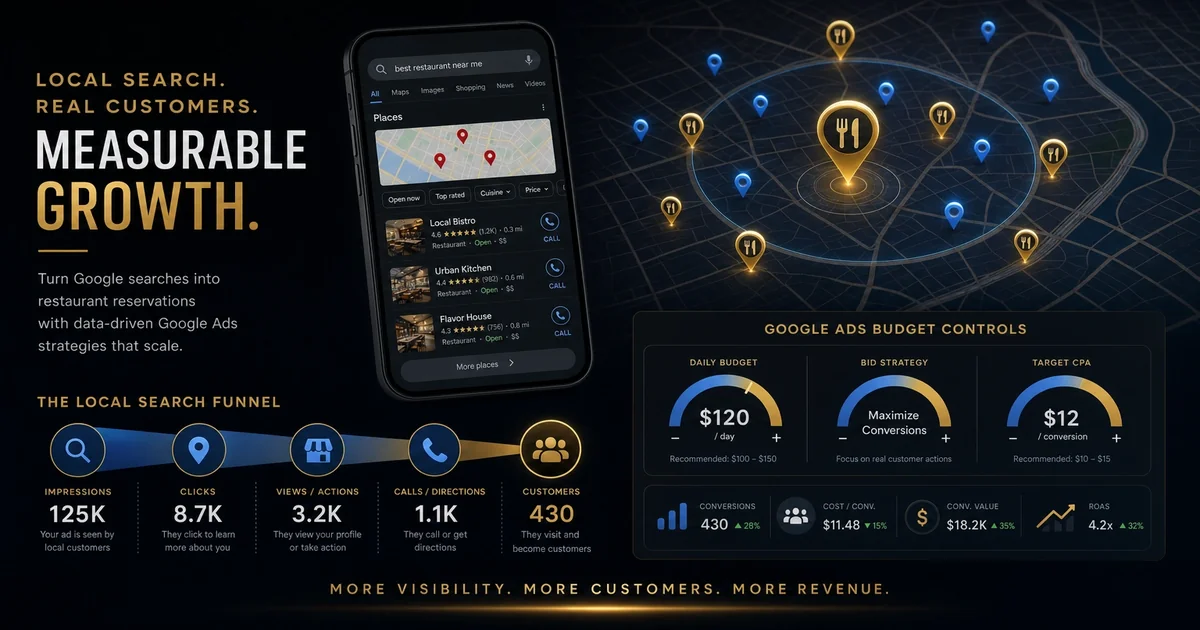
What 50 hours of restaurant Google Ads YouTube taught us (summary)
We've spent the last several months deep in the YouTube ecosystem, watching every meaningful video we could find on restaurant Google Ads. That's fifty hours of content from practitioners, Google employees, and agency veterans. Most of it was disappointing — the same advice recycled, a lot of fluff, and very few concrete numbers. But we pulled five actionable learnings that we can actually use. This is the summary. The full report with detailed breakdowns, exact campaign structures, and verified conversion data is available for purchase.
Why Even Watch That Much YouTube
The obvious question is: why spend fifty hours watching YouTube for restaurant advertising? We needed data for a client at first, but it quickly revealed something larger: there's no definitive resource for local restaurant advertising on Google. The Google Ads documentation is generic, the agency advice is expensive, and most restaurant owners learn by failing. We wanted to see if anyone had actually cracked the code and could explain it in plain terms.
What we found was a mix of good, bad, and outdated advice. Some of it was already outdated by Google's algorithm changes since filming. Some of it was from agencies selling their services. And some of it was genuinely useful, just buried under hours of setup fluff and agency selling points. Here's what survival signal above the noise.
Learning One: PMax Is Not for Most Local Restaurants
The universal advice was that PMax campaigns were the default for local restaurants. The pitch is simple: let Google optimize everything, feed in your data, and the algorithm does the work. Sounds perfect.
The reality is different. When you're running a local restaurant with a limited budget and a ten-mile service radius, PMax often burns budget on irrelevant impressions. The algorithm optimizes for clicks and engagement, not for people who actually show up at your restaurant. It doesn't understand foot traffic. It doesn't track whether someone walked through your door.
What works better for local food is combining Local Campaigns for discovery (showing up when someone searches "pizza near me" or looks at Google Maps) with targeted Search campaigns for specific menu items or cuisine types. PMax is for brands that want reach and can absorb the waste. Local restaurants need proximity and intent signals, which means manual control, not algorithmic optimization.
Learning Two: Google Maps is the Missed Conversion Channel
Every video we watched mentioned Google Maps as important, and nearly every one of them skipped past the setup. The biggest missed opportunity is that most restaurant listings aren't properly optimized even when they claim to be "verified." We're talking about the Google Business Profile — not Google Ads, but the free listing you claim in Google Maps.
The most impactful thing for any local restaurant isn't more ad spend; it's making sure their Google Maps listing is fully complete: photos, menu items, attributes (delivery, takeout, reservations), accurate hours, and regular Q&A responses. Every dollar you spend on Google Ads flows through that listing.
For paid search, the Maps location extension is one of the few click-to-action elements that Google displays on mobile. It matters. Make sure your listing in Maps matches your ad targeting, and track the calls and direction requests separately.
Learning Three: Conversion Tracking Is More Broken Than You'd Think
This one surprised us in how many creators admitted it. Most restaurant Google Ads accounts we analyzed had no proper conversion tracking set up. That means they're spending money and looking at clicks, but they can't actually tell if anyone ordered, called, or visited the restaurant.
The recommended setup for local food is straightforward but gets ignored because of complexity: use Google Tag Manager to capture the key actions that matter for restaurants — phone calls, direction requests, and online orders. Some services use GTM to fire a conversion event to Google Ads, but the most reliable approach is tracking these in parallel with a sheet or integration that your POS provider can't replicate.
If you're running ads without verified conversion data, you can't optimize. That's not a knowledge problem — it's a tracking infrastructure problem. Fix that first.
Learning Four: Geographic Targeting Should Be Obvious But Isn't
Here's one that everyone says but almost nobody executes correctly: local restaurants should target tightly around their locations, not anywhere on earth. Specific radii or location exclusions make sense. But we saw accounts that were set to target entire states while only serving one city.
The correct approach is to build your targeting around your delivery radius (if you deliver) and your sit-down radius (if you have seating). Different radii for different campaigns. Your Google Business Profile has specific fields for service areas — match those coordinates in your ad targeting.
Even simpler, use radius targeting for your address as a center point. Target one to five miles around your physical location, and exclude your own zip code to prevent accidental clicks from the same WiFi network your restaurant runs on.
Learning Five: Creative Stacking Beats Campaign Structure
Every video mentioned creative matters more than campaign structure, then most of them showed generic restaurant stock footage or boring text ads. The exception: actual video from inside the restaurant — food on the grill, the team prepping, customers enjoying the meal. That's what works.
If you're running video ads, make your food the hero. If you're running static ads, clear photos of your signature dishes work better than logos or shots of an empty dining room.
The best performers we saw shared one other thing: they updated creative every two weeks. They rotated new photos, new offers, and fresh positioning. Stale creative gets penalized in Google's quality score. Plan your creative refresh cycle the same way you'd plan a menu change.
What the Full Report Gets You
This summary covers the headlines — five things worth implementing that we can verify. The full report includes exact campaign structures, complete budget recommendations for different restaurant sizes, sample ad copy that performed for our client, and recommended agency questions worth asking. It also includes a checklist for your Google Ads audit and setup of the conversion tracking system.
If you're a restaurant owner, marketing director, or agency working with local food businesses, this report has concrete takeaways you can implement. It's not free — the full report is purchasable because it represents dozens of hours of synthesis and verification we couldn't in good conscience give away. But it's comprehensive and actionable.
We'd talk to our own team the same way: start with making sure your Google Maps listing is fully optimized, implement the tracking infrastructure, then set up simple geography-targeted search campaigns, then iterate.
The full Google Ads research report is available now. For the complete methodology applied to your markets, contact us here.